Decision-making is one of the most important concepts in programming. A program often needs to perform different actions depending on certain conditions. For example, a banking application checks whether your account has sufficient balance before processing a withdrawal, or a website verifies whether a username and password are correct before allowing access.
In Python, if-else statements are used to make such decisions. They allow the program to evaluate a condition and execute different blocks of code based on whether the condition is True or False.
Python makes conditional programming simple and readable through its clean syntax and indentation-based structure. Understanding the if-else statement is essential for writing logical and interactive Python programs.
Table of Contents
What is an If-Else Statement in Python?
An if-else statement is a conditional control structure that allows a program to execute one block of code if a specified condition is true and another block of code if the condition is false.
In simple words:
- If the condition is True, the code inside the if block executes.
- If the condition is False, the code inside the else block executes.
This enables programs to make decisions based on user input, calculations, comparisons, or any logical condition.
Syntax:
if condition:
# Code executed if condition is True
else:
# Code executed if condition is False
Explanation:
- if is a Python keyword used to test a condition.
- condition is a Boolean expression that evaluates to either True or False.
- The colon (:) indicates the beginning of the code block.
- The code inside each block must be properly indented.
- The else block executes only when the condition is false.
Flowchart of If-Else Statement
The if-else statement allows a Python program to choose between two different blocks of code based on whether a condition is True or False.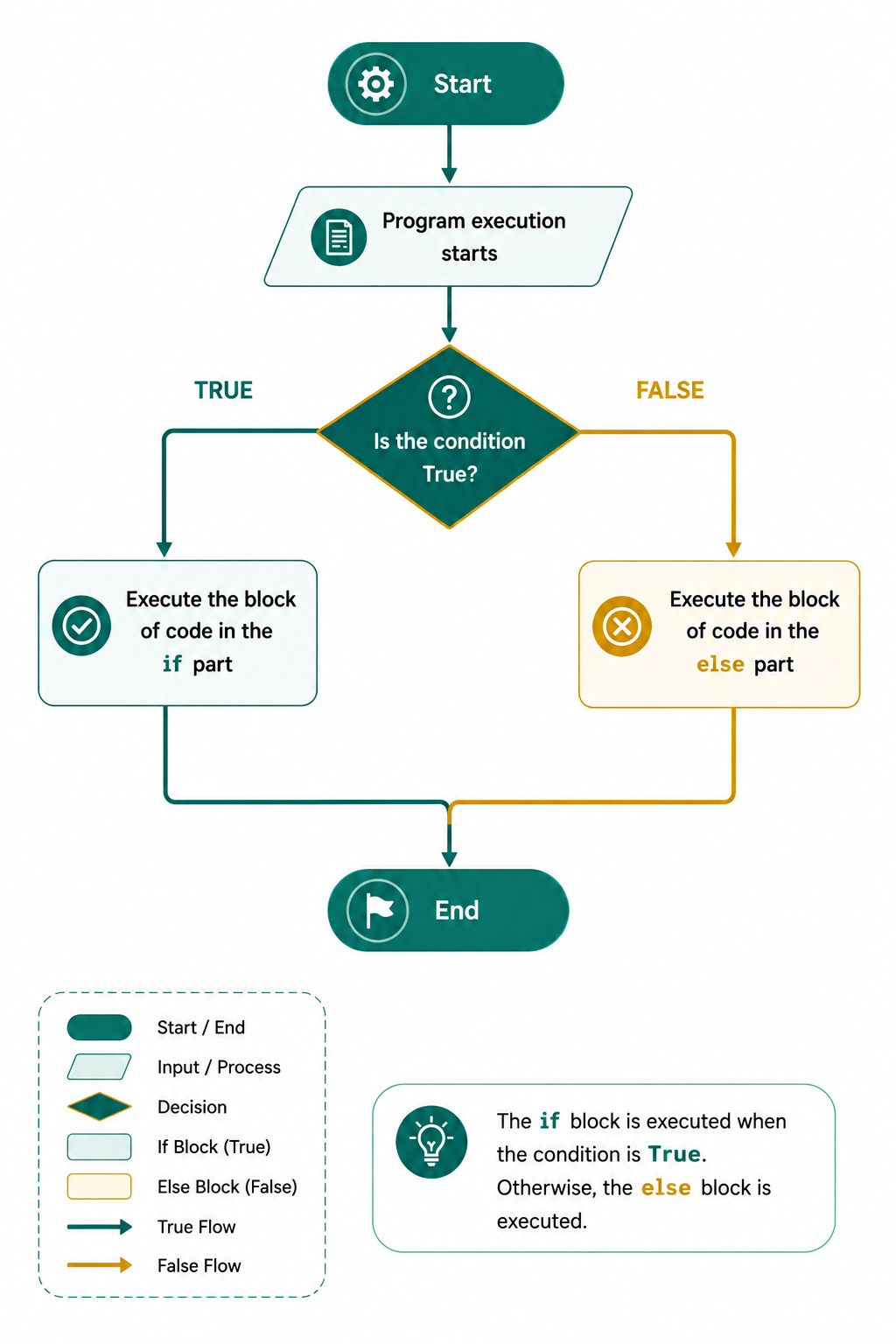
The following steps explain how it works:
Step 1: Evaluate the Condition: Python first evaluates the condition written after the if keyword. The condition must return either True or False.
Step 2: Check Whether the Condition Is True: After evaluating the condition, Python checks its result. This determines which block of code will be executed next.
Step 3: Execute the if Block: If the condition evaluates to True, Python executes the statements inside the if block and skips the else block.
Step 4: Execute the else Block: If the condition evaluates to False, Python skips the if block and executes the statements inside the else block.
Step 5: Continue Program Execution: Once either the if block or the else block has finished executing, Python continues with the next statement after the if-else structure.
Examples of If-Else Statement
Example 1: Check whether a number is positive or negative
# Python program to check whether a number
# is positive or negative

# Store a number
number = -8

# Check whether a number is positive or negative
if number >= 0:
    print("The number is positive.")
else:
    print("The number is negative.")
Output:
The number is negative.
Explanation:
- The variable number stores -8.
- Python checks whether number >= 0.
- Since the condition is false, the else block executes.
- Therefore, the program prints that the number is negative.
Example 2: Check Even or Odd Number
# Python program to check an even or
# Odd Number

# Store a number
number = 17

# Check whether the number is even
if number % 2 == 0:
    print(number, "is an Even number.")
else:
    print(number, "is an Odd number.")
Output:
17 is an Odd number.
Explanation:
- % returns the remainder after division.
- If the remainder is zero, the number is even.
- Otherwise, it is odd.
Conclusion
The if-else statement is one of the most fundamental control structures in Python. It enables programs to make decisions by executing different blocks of code based on conditions. Whether you are validating user input, checking eligibility, comparing values, or implementing business rules, the if-else statement plays a vital role in creating dynamic and intelligent applications. Mastering its syntax, understanding how conditions are evaluated, and practicing with real-world examples will help you write efficient, readable, and reliable Python programs.
Frequently Asked Questions
1. Is the else block mandatory?
No. The else block is optional. You can use only an if statement when no alternative action is required.
2. Can multiple if statements be used in one program?
Yes. A Python program can contain multiple independent if statements as well as nested if statements.
3. Why is indentation important in Python if-else statements?
Python uses indentation to define code blocks. Incorrect indentation results in an IndentationError or unexpected program behavior.
4. What type of value should an if condition return?
An if condition should evaluate to a Boolean value (True or False). Comparison and logical expressions naturally produce Boolean results.
5. What is a "truthy" or "falsy" value in a condition?
Python evaluates expressions for truthiness rather than requiring strict boolean types (True/False).
Falsy Values(evaluate to False):
- False
- None
- Numeric zeros: 0, 0.0, 0j
- Empty containers: "" (string), [] (list), () (tuple), {} (dict/set)
Truthy Values: Everything else.

0 Comments